A roofing website should make one thing effortless: asking for a free estimate or inspection. Everything else — proof you are licensed and insured, the towns you cover, photos of your own jobs — exists to make that request feel safe.
If much of your work follows storms, give insurance-claim traffic its own page. People searching after hail damage are asking different questions from someone planning a replacement, and a generic services page cannot answer them. On XAIWebsites that is the difference between the $199 Roofing Lead Machine and the $499 Stormfront Pro.
- $199Roofing Lead Machine, one-time
- $499Stormfront Pro, 5-page storm site
- Previewsee the site before you pay
- Hoursrealistic time to a first draft
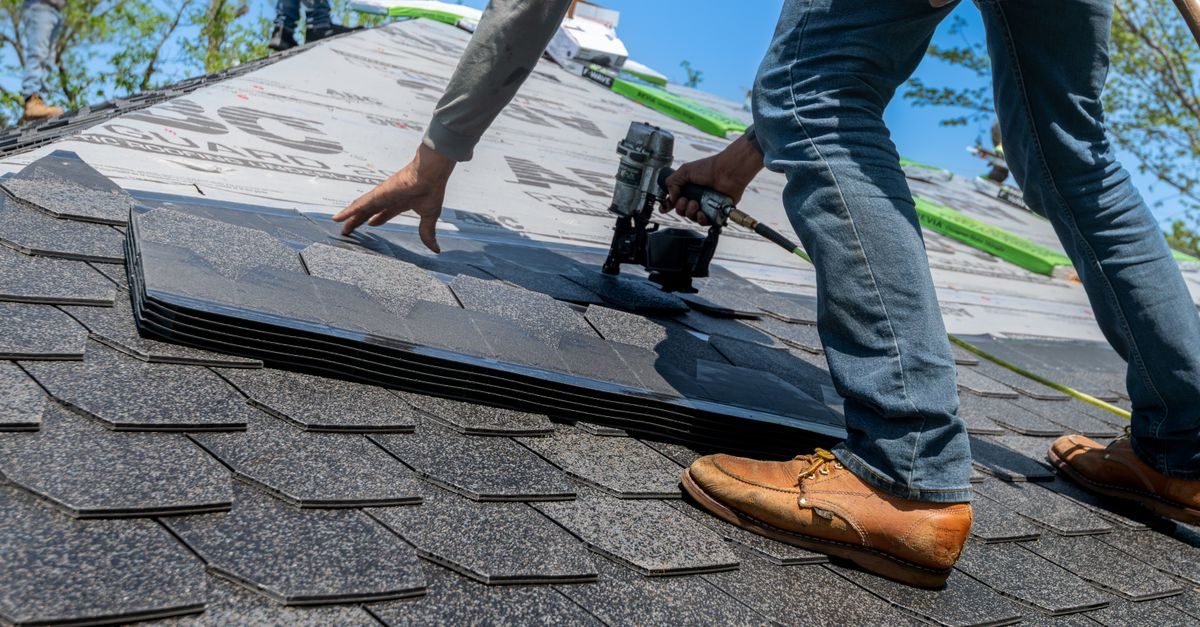
What a roofing website actually needs
Four things carry nearly all the weight. Everything else is optional, and adding it before these are right makes the site worse, not better.
A fast, obvious route to a free estimate
Most roofing enquiries are people comparing two or three companies. The estimate or inspection offer should be the primary action on every page, with a tappable phone number and a short form. Promise a response time you can actually keep — a stated “same-day callback” that slips does more harm than silence.
Proof you are real, licensed and insured
Roofing attracts out-of-area storm chasers, so local legitimacy is your differentiator. State your licence number, insurance, manufacturer certifications, how long you have operated locally, and show named reviews and photos of your own completed roofs.
A dedicated page for storm and insurance-claim work
Someone searching after hail or wind damage wants to know what counts as damage, what the claims process looks like, how fast you can inspect, and whether you cover their address. A single generic “services” page buries those answers. Check your state’s rules on what contractors may say about insurance claims before you publish.
Your service area, named explicitly
List the towns and neighbourhoods you work in as plain text. People search with place names attached, and a visitor’s first question is whether you come to them.
What to skip
These additions most often cost more than they return for this kind of business:
- A long company-history section above the estimate form
- Stock photos of generic rooftops instead of your own jobs
- Hiding financing options until the end of the page
- A quote form that asks fifteen questions
Which XAIWebsites template fits
XAIWebsites is built by the same team behind XAIAgent, so we map the industry to its real templates and state the price and the limitations next to each other. Template names, page lists and prices below come from XAIWebsites’ own pages, checked 2 October 2026; anything labelled “our suggestion” is our editorial judgement.
Stormfront Pro for storm & hail roofing
Built for roofing companies that get most of their leads after a storm and need to speak directly to insurance-claim urgency, with its own storm-damage page rather than a generic services page.
The pages you get
- Home
- Services (repair, replacement, gutters…)
- Storm Damage & claims
- Reviews + financing
- Contact / quote form
Why it fits
- A dedicated storm-damage and insurance-claim page covering what counts as damage, the claims process and coverage area
- A fast quote path built for urgent post-storm traffic
- Reviews and financing information on one page
- Every page shares one lead form that feeds a single inbox in your portal
Prefer the lighter option? The Roofing Lead Machine is XAIWebsites’ $199 Standard roofing template, built for estimates, inspections and storm-damage leads. Preview it →
Good to know: the site is a one-time purchase with no required subscription; managed hosting is an optional $29/month. Managed hosting publishes to an auto-assigned subdomain and cannot currently connect a domain you already own — to use your own domain, host the downloaded ZIP yourself. Purchases are generally non-refundable once the site has been generated, so use the preview properly before paying, and no website generator can guarantee Google rankings. Disclosure: XAIWebsites is built by the same team behind XAIAgent (details).
How buying works
This is XAIWebsites’ published flow. The preview comes before the payment.
- Enter your detailsBusiness name, category, services, city, phone, email, and optional images.
- See a previewThe generator writes your copy and builds the site, so you see it before paying.
- Pay onceOne-time payment for the full website — no required subscription.
- Get your portalReview the site, download the ZIP, regenerate up to 3 times, and manage hosting.
A XAIWebsites site fits when
- You want a credible, focused site live quickly
- You will read the preview and edit what the generator got wrong
- You are comfortable using a subdomain, or hosting the downloaded ZIP on your own domain
Look elsewhere if
- You need an online store with a cart and checkout
- You want a fully custom, design-led site
- You need your own domain connected to managed hosting (not currently self-service)
Our take
Get the estimate path, the proof and the service area right and you will outperform most competitors regardless of which tool builds the site. If storms drive your calendar, the dedicated claims page is the one addition worth paying for.
Use the preview step properly: check that the generated copy states your real licence, service area and response time, because AI-written copy fills gaps with plausible-sounding generalities.
Already have a roofing website? Audit it first
A free instant report across SEO, speed, mobile, design and conversion — so you know what is actually costing you enquiries before you spend anything.
- SEO
- Speed
- Mobile
- Design
- Conversion
A free tool from XAIWebsites, built by the same team as XAIAgent
Also wondering whether AI assistants can understand your business? Run a free AI search visibility check →
Frequently asked questions
What should a roofing website include?
A prominent free-estimate action on every page, a tappable phone number, your licence and insurance details, named reviews, photos of your own work, your service area, and financing information if you offer it. If storms drive your business, add a dedicated storm-damage page.
Do roofers need a separate storm-damage page?
If a meaningful share of your leads arrive after hail or wind events, yes. Post-storm searchers have different questions — what counts as damage, how claims work, how fast you can inspect — that a general services page does not answer. If you are mostly planned replacements, a standard site is enough.
How much does a roofing website cost with XAIWebsites?
XAIWebsites lists its Roofing Lead Machine as a $199 one-time Standard website and Stormfront Pro, its 5-page storm and hail template, at $499 one-time. Managed hosting is a separate optional $29 a month. You preview the generated site before paying.
Should I put prices on a roofing website?
Exact prices rarely work because every roof differs, but total silence makes people hesitate. A typical range for common jobs, plus what changes the final figure — pitch, materials, access, decking condition — helps the right people contact you.
Keep reading
Published 2 October 2026 by the XAIAgent editorial team. Pricing and plan details change frequently — always confirm on the vendor’s own site before buying. See our testing methodology and disclosure.